


Description
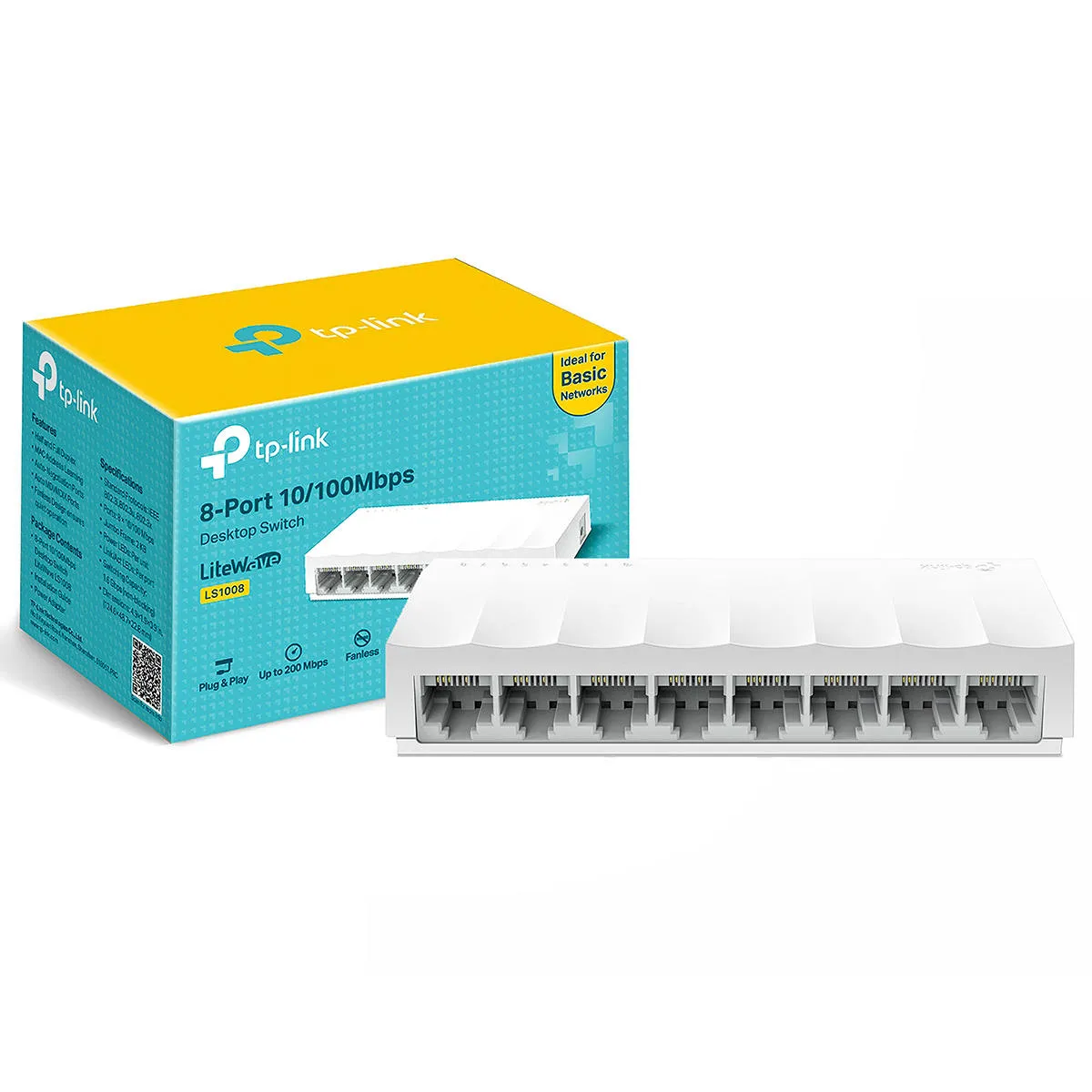
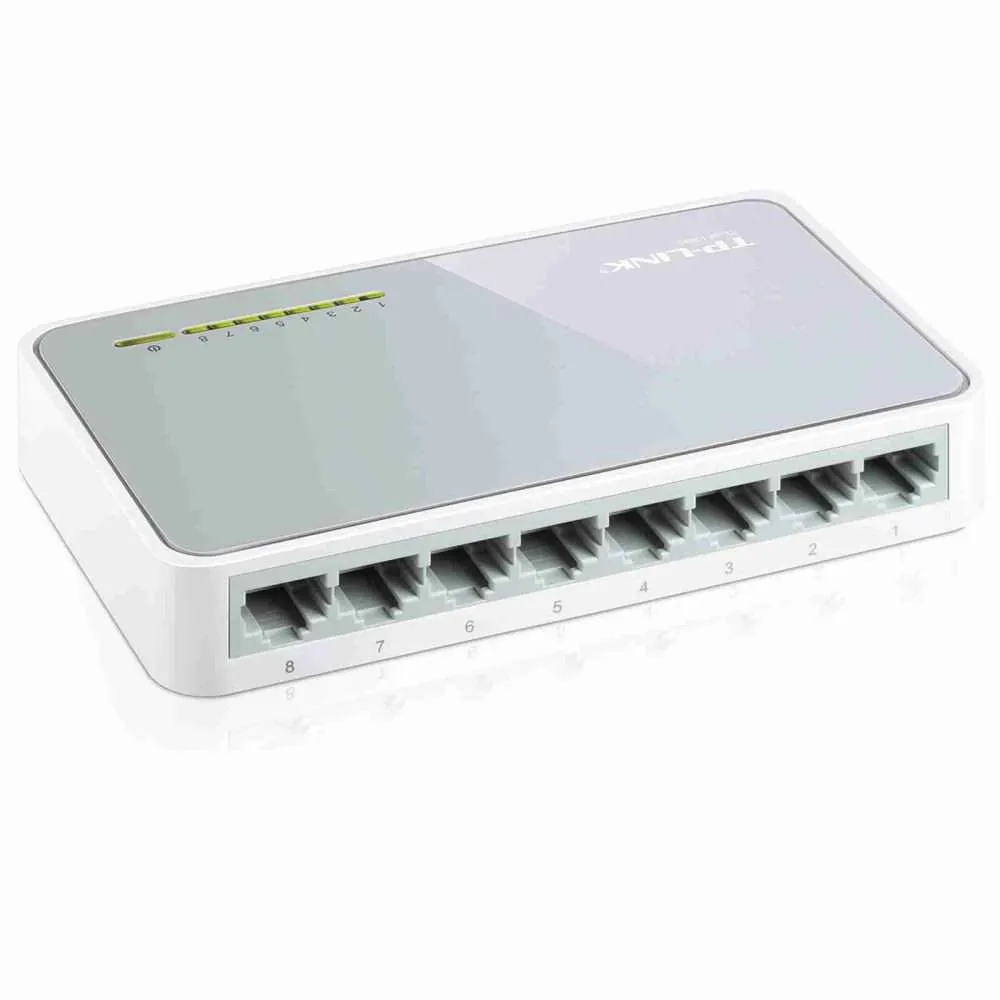
TP-Link 8-Port 10/100Mbps Desktop Switch Product Description
Introduction
The TP-Link 8-Port 10/100Mbps Desktop Switch is a reliable and affordable network switch designed to deliver high-performance networking capabilities for small to medium-sized homes, offices, and businesses. Offering fast and stable wired connections, this plug-and-play switch is perfect for expanding your network, ensuring seamless data transmission, and connecting multiple devices to a single network.
With 8 Ethernet ports supporting 10/100Mbps speeds, the TP-Link Desktop Switch is built to handle a variety of devices, including computers, printers, security cameras, gaming consoles, and more. Whether you are setting up a new home network or upgrading your existing office network, this compact and cost-effective switch offers a hassle-free solution for all your networking needs.
Key Features of the TP-Link 8-Port 10/100Mbps Desktop Switch
-
8 10/100Mbps Ethernet Ports
The TP-Link 8-Port 10/100Mbps Desktop Switch?comes with 8 Ethernet ports that support 10/100Mbps speeds, allowing you to connect up to 8 devices. Each port automatically adjusts the connection speed depending on the device, ensuring optimal performance for all connected devices. -
Plug-and-Play Installation
This switch features plug-and-play functionality, meaning no configuration is required to get it up and running. Simply connect your devices to the switch, plug it into a power outlet, and you?re ready to go. This makes it ideal for both novice users and professionals who need an easy-to-install network switch. -
Energy-Efficient Design
The TP-Link 8-Port 10/100Mbps Desktop Switch is designed with energy-saving features. It automatically adjusts power consumption based on the number of active ports and the cable length, helping you reduce overall energy usage while maintaining high performance. -
Compact Desktop Form Factor
The TP-Link 8-Port 10/100Mbps Desktop Switch is designed for use on a desktop or shelf, and its compact size allows it to fit into small spaces without taking up much room. Whether you?re using it in a home office or a small business setup, its space-efficient design makes it a perfect addition to your network. -
Auto-Negotiation & Auto-MDI/MDIX
With Auto-Negotiation, the switch automatically detects and adjusts the connection speed, ensuring that connected devices operate at the optimal performance level. The Auto-MDI/MDIX feature eliminates the need for crossover cables, making it easier to connect different devices without worrying about cable types. -
Full-Duplex and Half-Duplex Support
The switch supports both full-duplex and half-duplex modes. In full-duplex mode, data can be sent and received simultaneously, effectively doubling the data transfer speed. In half-duplex mode, data is sent and received alternately, depending on the type of device connected. -
Extensive Compatibility
The TP-Link 8-Port Switch is compatible with a wide range of devices, including computers, printers, routers, IP cameras, gaming consoles, and other networked devices. It?s a great choice for both home networking and business networking needs. -
IEEE 802.3x Flow Control
The switch supports IEEE 802.3x flow control, which ensures reliable data transfer and minimizes packet loss. This is particularly useful in busy network environments where congestion and dropped packets can occur. -
Sturdy Build Quality
TP-Link 8-Port 10/100Mbps Desktop Switch is built with a durable metal case, ensuring that it can withstand daily wear and tear. It is designed for long-lasting performance and is suitable for use in environments with moderate traffic. -
Affordable Networking Solution
The TP-Link TL-SF1008D offers an excellent balance of performance and cost, making it a budget-friendly solution for expanding or improving your network. It?s a great choice for users who need to connect multiple devices but are looking for a cost-effective networking option.
Specifications
- Model: TP-Link TL-SF1008D 8-Port 10/100Mbps Desktop Switch
- Ports: 8 x 10/100Mbps Ethernet Ports
- LED Indicators: Power, Link/Act (per port)
- Power Consumption: 3.5W (maximum)
- Dimensions:
- Width: 6.3 inches (160mm)
- Depth: 3.5 inches (90mm)
- Height: 1.0 inch (25mm)
- Weight: 0.32 kg (0.7 lbs)
- Networking Standards:
- IEEE 802.3 (Ethernet)
- IEEE 802.3u (Fast Ethernet)
- IEEE 802.3x (Flow Control)
- Power Supply: External Power Adapter (5V DC, 1A)
- MTBF: 100,000 hours
- MAC Address Table Size: 1K entries
- Supported Cables:
- Cat5e or Cat6 Ethernet cables
- Up to 100 meters (328 feet) cable length per port
- Certification: CE, RoHS, FCC
Benefits and Advantages
-
Easy Setup
The plug-and-play feature of the TP-Link 8-Port 10/100Mbps Desktop Switch eliminates the need for complex configuration. Simply plug in the devices, and the switch automatically detects the network devices, making it perfect for home users and small businesses. -
Energy-Efficiency
The switch’s energy-saving capabilities help reduce your electricity bills, making it an environmentally friendly option for those looking to minimize their carbon footprint without compromising performance. -
Reliable Performance
With 8 fast 10/100Mbps ports and support for both full-duplex and half-duplex operation, this switch offers reliable and stable performance. It ensures fast data transfer speeds and smooth connectivity between all connected devices. -
Compact Design
Its compact design ensures that the TP-Link 8-Port 10/100Mbps Desktop Switch fits seamlessly into home offices, workspaces, or any small network setup. Its small form factor doesn?t take up too much space, making it a practical and convenient addition to your network infrastructure. -
Widely Compatible
Whether you need to connect computers, IP cameras, gaming consoles, or network printers, the TP-Link 8-Port Desktop Switch is compatible with a variety of devices. Its versatility makes it suitable for different types of network setups and requirements. -
Durability and Long Lifespan
Built with a metal casing, the switch is designed for durability. It can handle daily use in demanding environments, ensuring that your network remains stable and reliable for a long time. -
Affordable Networking Solution
For users looking to expand their network without breaking the bank, the TP-Link 8-Port 10/100Mbps Desktop Switch? provides an affordable solution with excellent performance. It delivers great value for money, offering 8 ports of connectivity at an affordable price. -
Plug-and-Play
No installation software is required. Simply plug the switch into a power outlet, connect your devices, and you’re ready to use it.
Use Cases
-
Home Networking
In a home network, the TP-Link 8-Port Switch can connect computers, smart TVs, gaming consoles, and more to the same network, allowing multiple devices to share resources such as the internet, printers, or files. -
Small Office Network
For small office environments that require multiple devices to connect to the internet and share resources like printers, the TP-Link 8-Port 10/100Mbps Desktop Switch is an ideal solution. It allows for easy and reliable device connections and network sharing. -
IP Camera Setup
For users who need to set up an IP surveillance system, this switch can provide the necessary connections for up to 8 IP cameras, enabling reliable video monitoring and easy data transfer. -
Gaming Setup
Gamers can use the TP-Link 8-Port Switch to create a wired network for gaming consoles, ensuring a stable and high-speed connection for online multiplayer gaming without worrying about wireless interruptions. -
Network Expansion
If you’re running out of ports on your existing router or switch, this 8-port desktop switch is a cost-effective way to expand your network without replacing your current networking equipment.
Installation and Setup
- Position the Switch: Place the TP-Link switch on a flat surface such as a desk, shelf, or server rack.
- Connect the Devices: Plug in your devices using standard Cat5e or Cat6 Ethernet cables to the 8 ports on the switch.
- Connect the Power Adapter: Plug the provided 5V DC power adapter into the switch and connect it to a power outlet.
- Power On: Turn on the switch and start using it right away. The LED indicators will show the status of each port and whether the devices are successfully connected.



Reviews
There are no reviews yet.